
Why Modern Recruiters Need an AI‑Powered Hiring Companion
In today’s hyper‑competitive talent market, the traditional approach of manually sifting through endless résumés is no longer sustainable. Recruiters are under pressure to fill roles faster, reduce cost‑per‑hire, and ensure that every new hire aligns with both technical requirements and cultural values. At the same time, candidates expect a transparent, engaging experience that showcases their personality beyond a static CV. This tension has created a clear demand for intelligent software that can automate repetitive tasks while preserving the human touch that makes hiring decisions truly effective.
Enter Avua, a cloud‑native AI recruitment platform designed to bridge that gap. By leveraging DeepTech contextual matching, video‑resume analysis, and GPT‑based verification, Avua offers a holistic view of each applicant. The platform not only accelerates the screening process but also enriches it with soft‑skill insights that are otherwise hidden in traditional documents. Whether you are a fast‑growing startup needing to scale quickly or a multinational corporation managing hundreds of openings across multiple regions, Avua adapts to your workflow, integrates with existing ATS solutions, and provides real‑time analytics that turn hiring data into strategic decisions.
This review dives deep into Avua’s core capabilities, walks you through the installation process, examines system compatibility, and weighs the pros and cons based on real‑world usage. By the end, you’ll know exactly how Avua can transform your talent acquisition strategy, what to expect during onboarding, and whether the platform’s pricing structure aligns with your budget. Ready to see how AI can make hiring both smarter and more human? Let’s explore.
Overview – AI‑Driven Recruitment Redefined
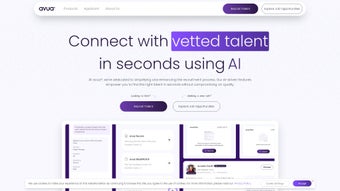
Avua is a next‑generation recruitment solution that combines advanced artificial intelligence with a user‑friendly interface to streamline every stage of hiring. Built on a DeepTech AI Matching engine, the platform interprets the nuanced language of job descriptions and résumés, scoring candidates on a scale that reflects both hard and soft competencies. This contextual intelligence moves beyond simple keyword matching, allowing recruiters to identify talent that truly fits the role’s technical demands and cultural environment.
The platform’s video‑resume module adds another layer of insight by capturing a candidate’s communication style, confidence, and personality in a short clip. Coupled with an intelligent CV parser that normalizes data from PDFs, DOCX files, and HTML formats, Avua creates a multidimensional candidate profile that can be instantly compared against any job posting. Moreover, a GPT‑powered verification engine cross‑checks facts, flags inconsistencies, and helps maintain compliance with industry regulations such as GDPR and SOC 2.
Avua also offers sector‑specific templates for Energy, Technology, Finance, and Pharmaceuticals, enabling rapid deployment in highly regulated fields. The real‑time analytics dashboard visualizes key hiring metrics—time‑to‑fill, diversity ratios, pipeline health—giving HR leaders actionable data to refine their strategies. With secure cloud architecture, optional on‑premise Docker deployment, and robust API integrations, Avua positions itself as a strategic partner rather than just another applicant tracking tool.
- DeepTech AI Matching: Context‑aware algorithm that evaluates both technical and soft skills.
- Video Resume Module: 60‑second video introductions that reveal communication style and cultural fit.
- Intelligent CV Parsing: Automatic extraction and normalization of data from multiple resume formats.
- GPT‑Based Verification: AI‑driven fact‑checking to reduce fraudulent applications.
- Sector‑Specific Templates: Pre‑built matching models for Energy, Tech, Finance, and Pharma.
- Bulk Upload & API Integration: Seamless data import and two‑way sync with existing ATS platforms.
- Real‑Time Analytics Dashboard: Interactive visualizations of hiring KPIs and diversity metrics.
- Secure Cloud Architecture: End‑to‑end encryption, role‑based access, and GDPR compliance.
- On‑Premise Docker Option: Private‑cloud deployment for enterprises with strict data residency requirements.
Installation, Setup, and System Compatibility
Step‑by‑Step Deployment
- Create Your Account: Navigate to Avua’s sign‑up page, provide a corporate email, and confirm via the activation link.
- Select a Plan: Choose between Free, Professional, or Enterprise. The Free tier offers up to 10 active job posts and limited AI matches; the Professional tier unlocks unlimited postings, full AI capabilities, and video‑resume support; Enterprise adds dedicated support, custom SLAs, and on‑premise Docker deployment.
- Configure Company Profile: Input industry, headcount, hiring locations, and branding assets. This data feeds the AI model, improving relevance from day one.
- Integrate Existing ATS (Optional): Generate API keys or use pre‑built connectors for Greenhouse, Lever, Workday, or iCIMS. Follow the API documentation to map fields and enable bi‑directional sync.
- Upload Job Descriptions: Paste text directly or upload documents. Avua’s JD parser extracts required skills, experience levels, and competency weights.
- Import Candidate Resumes: Drag‑and‑drop individual files or use the bulk CSV import for large candidate pools. The intelligent parser instantly creates structured profiles.
- Activate AI Matching: Click “Run Match” to generate suitability scores. Results appear as a ranked list with percentage matches and soft‑skill indicators.
- Review Video Resumes: Play short clips to assess communication style. Avua’s video analysis adds a soft‑skill score to each candidate’s overall ranking.
- Schedule Interviews: Use the built‑in calendar integration (Google Calendar, Outlook) to send interview invites directly from the platform.
- Finalize Hiring: Export selected candidate data back to your ATS, generate offer letters with Avua’s templates, and close the job posting.
All actions are logged in an immutable audit trail, ensuring compliance and providing a clear historical record for HR audits. Automated email notifications keep candidates informed at each stage, enhancing the candidate experience and reducing ghosting.
System Requirements and Browser Support
Avua is a SaaS application that runs entirely in the browser, eliminating the need for local installations. The platform is optimized for modern browsers on the following operating systems:
- Windows 10/11: Chrome, Edge, Firefox (latest)
- macOS Catalina and later: Safari, Chrome, Firefox
- Linux (Ubuntu 20.04+, Fedora 33+): Chrome, Firefox
- Mobile: Responsive web app works on iOS 13+ (Safari) and Android 9+ (Chrome)
A stable internet connection of at least 5 Mbps is recommended for optimal performance, especially when streaming video resumes. For organizations requiring on‑premise deployment, Avua provides a Docker‑based container that can be orchestrated with Kubernetes or Docker Swarm, delivering the same security standards—including TLS 1.3 encryption and role‑based access control—as the cloud offering.
Pros, Cons, and Frequently Asked Questions
Advantages
- Highly accurate contextual AI matching that evaluates both hard and soft skills.
- Video‑resume feature adds a human dimension, helping assess cultural fit early.
- Intelligent CV parsing eliminates manual data entry and reduces errors.
- Sector‑specific templates accelerate deployment in regulated industries.
- Robust security (GDPR, SOC 2) and optional on‑premise Docker deployment for data‑sensitive enterprises.
- Real‑time analytics provide actionable insights into pipeline health and diversity metrics.
- Scalable architecture supports everything from a single recruiter to global hiring teams.
Drawbacks
- Advanced features such as unlimited AI matches and API access are limited to higher‑tier plans.
- Recruiters new to AI‑driven workflows may experience a short learning curve.
- Video‑resume uploads require sufficient bandwidth, which can be a barrier for candidates in low‑connectivity regions.
- On‑premise deployment demands technical expertise in Docker/Kubernetes.
- Current language support is primarily English, with Spanish and Mandarin in beta.
Frequently Asked Questions
How does Avua’s DeepTech AI Matching differ from traditional keyword filters?
Traditional keyword filters look for exact term matches, often missing contextual relevance. Avua’s DeepTech engine understands synonyms, industry‑specific jargon, and the relationship between skills, delivering a suitability score that reflects true fit across both technical and soft‑skill dimensions.
Is the video‑resume feature mandatory for candidates?
No. Candidates can submit traditional PDFs or DOCX files, and Avua will still provide a comprehensive AI‑driven match. Video resumes are optional but highly recommended for roles where communication style and cultural alignment are critical.
Can Avua integrate with my existing Applicant Tracking System?
Yes. Avua offers RESTful API endpoints and pre‑built connectors for popular ATS platforms such as Greenhouse, Lever, Workday, and iCIMS, enabling two‑way data synchronization without duplicate entry.
What security measures protect candidate data?
Avua employs TLS 1.3 encryption for data in transit, AES‑256 encryption at rest, role‑based access controls, regular SOC 2 Type II audits, and GDPR‑compliant data handling policies, ensuring that sensitive recruitment information remains secure.
Is there a free trial before committing to a paid plan?
Yes. Avua provides a 14‑day free trial of the Professional tier, granting unlimited job postings, full AI matching, and access to the video‑resume module. No credit card is required to start the trial.
Final Verdict – Should You Download Avua?
Avua stands out as a comprehensive, AI‑driven recruitment platform that directly addresses the pain points of modern hiring: time‑consuming manual screening, low‑quality matches, and lack of insight into candidate personality. Its DeepTech matching engine, video‑resume analysis, and GPT verification combine to deliver a nuanced, data‑rich view of each applicant, while sector‑specific templates ensure compliance in regulated fields.
For organizations that prioritize speed, accuracy, and strategic analytics, Avua offers a clear ROI through reduced time‑to‑fill and improved retention. The platform’s secure cloud architecture, optional on‑premise Docker deployment, and robust API integrations make it flexible enough to fit into virtually any tech stack. However, teams with limited budgets should carefully evaluate the necessity of higher‑tier features such as unlimited API access, as those capabilities are locked behind Enterprise pricing.
If you are ready to embrace a smarter, more human hiring process—and you have the bandwidth (both internet and internal training) to adopt a new workflow—Avua is a strong candidate for your talent acquisition toolbox. Start with the 14‑day free trial, explore the contextual AI scores, and decide whether the platform’s benefits outweigh the incremental cost of premium features.
Ready to experience AI‑enhanced hiring? Download Avua today and begin your free trial. Let the platform do the heavy lifting while you focus on building high‑performing teams.



.png)



